
PHP2Shell and WordPress: Why Static Websites Make Sense
The PHP2Shell vulnerabilities exposed risks beyond WordPress itself. Discover how static websites reduce security exposure, maintenance and hosting complexity.
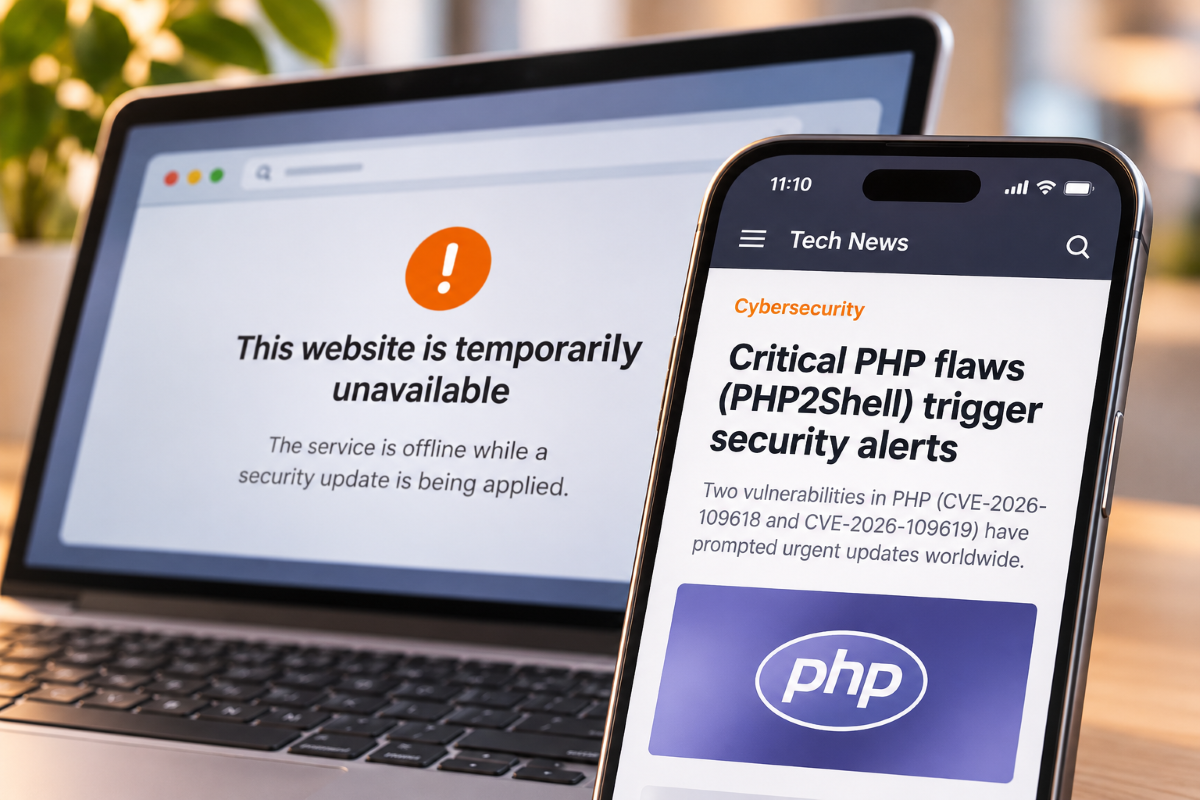
In October 2026, two critical PHP vulnerabilities known as PHP2Shell raised serious security concerns for websites running on PHP, including WordPress installations.
The vulnerabilities, identified as CVE-2026-109618 and CVE-2026-109619, received a severity score of 9.2 out of 10. In affected environments, they could allow attackers to execute code remotely without authentication.
For businesses running WordPress websites, the incident highlighted an important security concern: even when WordPress, its themes and plugins are updated, vulnerabilities can still exist in the underlying server infrastructure.
It also raises a question worth considering: does every corporate website really need PHP, a database and a dynamic server running whenever someone visits a page?
For many business websites, a static architecture offers an alternative with fewer security dependencies, faster content delivery and simpler maintenance.
What was PHP2Shell?
PHP2Shell refers to two critical vulnerabilities disclosed in PHP on October 21, 2026.
Both vulnerabilities affected PHP's internal handling of memory and request processing. Under certain conditions, attackers could exploit them to achieve remote code execution on vulnerable systems.
The PHP security team released emergency updates and advised administrators to patch affected installations immediately.
The key point for WordPress administrators was that these vulnerabilities existed in PHP itself, rather than in WordPress core or a particular plugin.
This meant that updating WordPress alone could not resolve the problem. The PHP environment also needed to be patched.
Why did PHP2Shell matter for WordPress websites?
WordPress is built on PHP. In a traditional installation, the server executes PHP code, interacts with a database and generates the page requested by the visitor.
This architecture provides flexibility and supports everything from corporate websites to ecommerce platforms and membership applications.
However, it also involves several components that require ongoing security maintenance:
- PHP and the server environment.
- WordPress core.
- The database.
- The active theme.
- Plugins and their dependencies.
- Hosting and server configuration.
Each component introduces dependencies that must be managed and updated.
PHP2Shell demonstrated that a vulnerability affecting one of these underlying technologies could create exposure even when the WordPress application itself was properly maintained.
Does this mean WordPress is insecure?
No. WordPress remains a reliable and flexible content management system when it is properly configured, maintained and hosted.
Its extensive ecosystem, familiar editing tools and broad functionality make it a practical choice for many businesses.
Managed WordPress hosting can also reduce the operational burden by handling infrastructure updates, security monitoring and server maintenance.
However, different websites have different technical requirements.
An ecommerce platform with customer accounts, payments and live inventory needs dynamic functionality. A corporate website containing service pages, blog articles, case studies and contact forms often has much simpler requirements.
For this second type of website, a traditional dynamic architecture may introduce more infrastructure than is actually necessary.
How static websites reduce security risks
A static website works differently from a traditional WordPress installation.
Instead of generating each page when a visitor requests it, the website is built in advance. The resulting HTML, CSS, JavaScript and other assets are delivered directly through a content delivery network (CDN).
This means visitors can access the website without triggering PHP execution or database queries for every page.
At Unimedia, our WordPress to Static Migration service uses this approach to simplify website infrastructure while preserving the existing design, content and URL structure.
1. PHP is removed from the public request path
When a website serves pre-generated static files, PHP does not need to execute to display those pages.
As a result, vulnerabilities that depend on executing PHP during a public page request, such as the PHP2Shell vulnerabilities, no longer affect that part of the website architecture.
This removes an important category of exposure.
2. No database is required to serve public pages
Traditional WordPress websites typically retrieve information from a database to generate their pages.
A static website has already generated that content. Visitors receive the finished page without requiring a live database connection.
This reduces the infrastructure exposed to public requests and eliminates database-related failures from ordinary page delivery.
3. Plugins no longer execute for every visitor
WordPress plugins offer valuable functionality, but they also introduce software dependencies that must be updated and monitored.
In a static deployment, WordPress plugins are not required to generate the public page at request time.
The published site primarily contains pre-generated files, which reduces the number of components involved in serving content.
4. Fewer components mean less maintenance
Reducing the number of active components also simplifies routine maintenance.
There are fewer publicly exposed services to patch, fewer runtime dependencies to monitor and fewer opportunities for configuration errors in the page-serving infrastructure.
Static websites still require security controls for deployment pipelines, JavaScript dependencies, APIs, access permissions and cloud services.
However, removing unnecessary infrastructure can substantially reduce the overall attack surface.
The benefits of static websites go beyond security
Security is a compelling reason to consider static architecture, but the benefits extend to performance, availability and operating costs.
Faster page delivery
Traditional WordPress pages may require PHP processing and database queries before they can be delivered, although caching can significantly improve performance.
Static pages are generated in advance and can be served directly from CDN locations close to visitors.
This reduces server processing and can improve page loading speed and consistency.
Greater availability
A static website has fewer components that can fail under traffic pressure.
There is no database query slowing down page generation, no PHP process running out of memory during a public request and no application server required to assemble ordinary pages.
Combined with a well-configured CDN, this makes static architecture particularly suitable for corporate websites and high-traffic marketing campaigns.
Lower infrastructure costs
Traditional hosting often involves paying for server capacity regardless of how much traffic the website receives.
Static websites can instead be delivered through object storage and a CDN, reducing the need for continuously running application servers.
At Unimedia, we use AWS infrastructure to deliver static websites efficiently. Actual running costs depend on traffic, storage and any additional services required.
Less operational complexity
For many organisations, managing website infrastructure is an ongoing expense.
A static architecture reduces the amount of software involved in public page delivery, making infrastructure easier to manage and helping teams focus on content, performance and business objectives.
Can a static website still have forms and dynamic features?
Yes. A static website does not have to be completely non-interactive.
Features such as contact forms, booking requests, search tools and pricing calculators can connect to dedicated APIs or serverless functions.
Instead of running an entire WordPress environment to support a small number of dynamic features, these services can be isolated from the static frontend.
This is the approach used in Unimedia's own website, where contact forms are processed through a dedicated serverless endpoint.
The result is a website that retains the functionality the business needs without requiring a traditional PHP server for every page request.
When should businesses keep WordPress?
Static migration is not the right solution for every website.
For example, businesses may benefit from retaining a traditional WordPress architecture when they depend heavily on:
- WooCommerce checkout and transactional functionality.
- Customer accounts and personalised content.
- Complex membership systems.
- Dynamic features deeply integrated into WordPress plugins.
- Frequent visual page editing using drag-and-drop builders.
In these situations, the flexibility of a dynamic CMS may outweigh the benefits of a fully static architecture.
A hybrid approach may also be appropriate, with static marketing pages supported by dedicated dynamic services.
The important decision is to choose an architecture that reflects the website's real requirements.
We did it to our own website first
At Unimedia, we have already made this transition ourselves.
Our corporate website previously ran on WordPress. We migrated it to a static architecture, moving more than 1,000 URLs and 785 blog articles across three languages.
This was a real-world migration involving a substantial amount of content, multilingual pages and an existing SEO structure that needed to be preserved.
The new architecture allows us to serve our public website without running PHP or a database for every visitor request, while maintaining the content management capabilities our team needs.
And our experience goes well beyond our own website. At Unimedia, we have successfully migrated more than 300 WordPress websites to static architecture. These migrations can achieve Google PageSpeed Insights scores close to 100/100, delivering excellent loading performance and supporting better Core Web Vitals and technical SEO.
We now use this experience in our WordPress to Static Migration service, helping businesses simplify their web infrastructure without rebuilding their online presence from scratch.
We have already applied this architecture to our own website. Now we help other businesses do the same.
PHP2Shell is a reminder to review your website architecture
The immediate lesson from PHP2Shell is clear: businesses operating PHP environments must keep their software updated and apply security patches promptly.
But the incident also offers an opportunity to review how websites are built.
Every technology in a website architecture provides capabilities, but it also introduces dependencies that require maintenance and protection.
For websites that primarily deliver the same content to every visitor, running a complete WordPress application, PHP runtime and database for each uncached request may be unnecessary.
Moving to a static architecture can remove these components from the public request path while preserving the website's content, design and essential functionality.
And for businesses that still need WordPress, maintaining a properly patched and secured environment remains a sound choice.
Thinking about moving your WordPress website to static?
Unimedia can assess your existing website, identify its dynamic requirements and explain the benefits, limitations and costs of migration.
Book a free migration review and find out whether static architecture is right for your business.
Want a site that loads fast and gets found?
We build sites that are quick on a phone on mobile data, and structured so search engines and AI assistants can actually read them.
Keep reading
More on Web Development

Custom WordPress Development: Unlock 2024 Market Edge with Key Trends Explored
Explore 2024's top custom WordPress development trends! Boost user engagement, security & gain a competitive edge. Stay ahead with us!
business development

How to Choose the Right Customer Portal Development Company
Choosing a customer portal development company? Learn how to evaluate technical expertise, security, integrations and long-term support before hiring.
Software Development
AI Custom Software Development: From Prototype to Production
Turn your AI prototype into business-ready software. Discover how custom AI development connects models, data, workflows and secure production systems.
Artificial Intelligence