
Customer Portal Development: When Should You Build Instead of Buy?
An off-the-shelf portal can be the right choice—until your workflows, integrations and permissions start working around the software instead of with it.
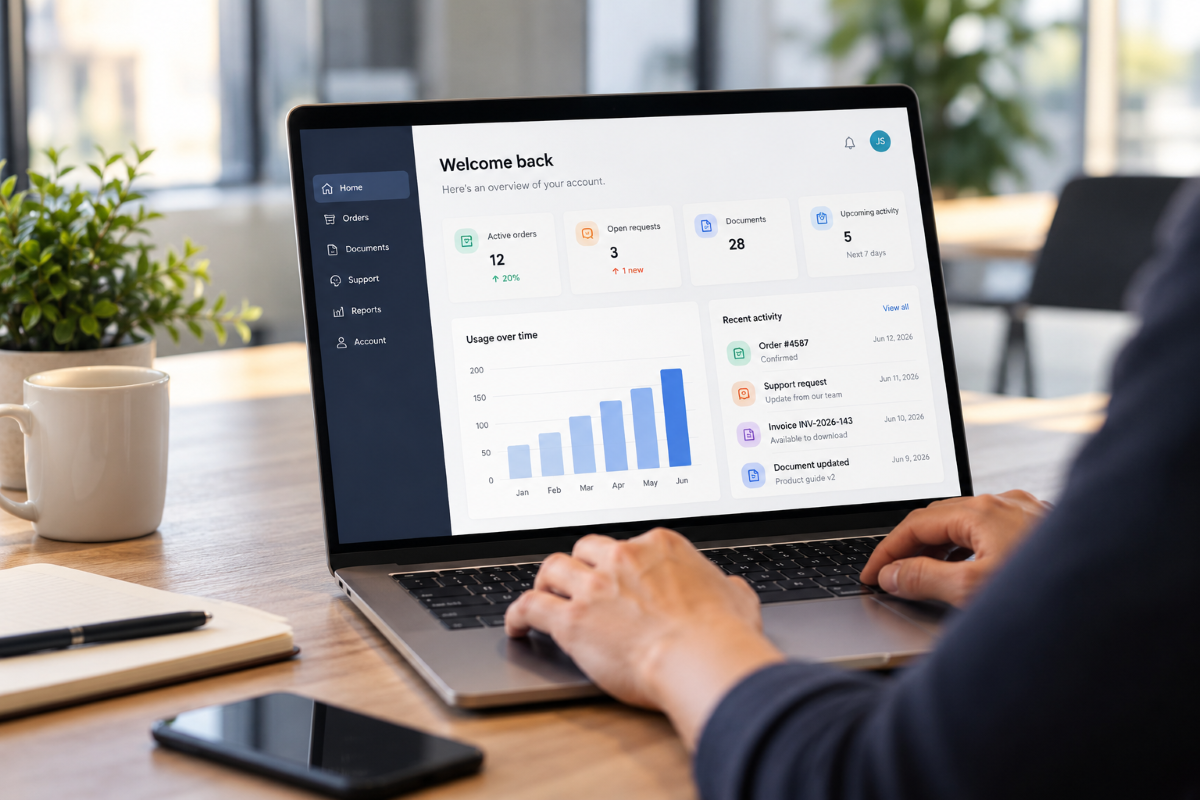
A customer portal can start as a simple requirement: give customers one place to access information, submit requests, download documents or check the status of their account. The difficult decision usually comes next. Should you configure an existing platform, or invest in custom customer portal development?
There is no universal answer. For many businesses, buying is faster and entirely sufficient. For others, the apparent simplicity of an off-the-shelf solution disappears once integrations, permissions, reporting and internal workflows are added.
The right question is not simply which option costs less at launch. It is how closely each option fits the way your business actually operates — and how much compromise you will accept over the life of the portal.
When buying a customer portal makes sense
Building software that already exists rarely makes business sense.
If your requirements are standard and a mature product already covers them, an existing SaaS or portal module can offer a faster route to launch. This is particularly true when the portal mainly needs common functionality such as account management, support requests, basic document sharing or access to information already held in one system.
Buying is usually worth considering when:
- Your workflows are relatively standard.
- Most customer data already lives in one platform.
- The available permission model matches your organisation.
- Standard dashboards and reports are sufficient.
- You can accept the platform's user experience and branding constraints.
- The expected number of users and licence costs are predictable.
- You do not need extensive custom integrations or automation.
In those circumstances, custom development may add cost and complexity without delivering enough additional value.
The calculation changes when the portal needs to become part of your operational infrastructure rather than simply another interface.
When custom customer portal development becomes the better fit
The strongest case for a custom portal normally appears when adapting an existing product starts requiring more work than adapting the software to your business.
A custom customer portal can bring together processes, data and services that currently sit across different applications while giving each customer the exact access and functionality they need.
At Unimedia, our customer portal development work focuses on adapting the platform to real workflows rather than forcing those workflows into a predetermined product.
Several requirements tend to make custom development worth evaluating.
Your workflows do not fit the software
Off-the-shelf software is designed around repeatable use cases. That is precisely why it can be deployed quickly.
But some businesses have approval processes, customer journeys, pricing structures, service models or operational rules that are central to how they compete.
If teams are constantly creating workarounds outside the portal — spreadsheets, manual approvals, duplicate data entry or email-based processes — the software is no longer simplifying operations.
A custom solution can model those workflows directly and automate the transitions between customers, internal teams and connected systems.
That ability to match functionality to specific business requirements is one of the main reasons companies choose custom software development rather than adapting their operations indefinitely to generic tools.
The portal must integrate several systems
A customer rarely cares which internal system holds their information. They expect one coherent experience.
Behind that experience, however, data may be distributed across a CRM, ERP, finance platform, support system, document repository, analytics tool or proprietary database.
This is where customer portal development frequently becomes an integration project as much as a frontend project.
Instead of asking employees to move information manually between systems, the portal can become a controlled layer through which customers interact with the underlying infrastructure.
The result might include invoices from the finance system, service data from an operational database, customer details from the CRM and support information from another platform — presented through one interface.
The more systems and business rules involved, the more important it becomes to design the architecture around the required data flows rather than around the limitations of a standard portal product. For platforms expected to grow significantly, the underlying cloud architecture also becomes part of that decision.
Permissions are more complex than “customer” and “admin”
Access control often looks simple in an early requirements document.
Then the real questions appear.
Can one customer organisation have several users? Should every user see the same data? Can regional managers view several accounts? Can external partners access only particular documents? Who can approve a transaction? What happens when somebody changes role?
For B2B portals in particular, permissions can become a core architectural requirement.
Unimedia's custom portal solutions can include role-based access control, secure access and workflows designed around different user responsibilities.
This matters not only for security. Good permissions also make the portal easier to use because each person sees the information and actions relevant to them instead of navigating functionality they should never need.
Standard dashboards are not enough
Reporting is another common point at which generic portals begin to feel restrictive.
A standard dashboard may display activity, tickets or account information. Your customers may instead need operational KPIs, financial information, campaign performance, historical comparisons or data assembled from several sources.
In that case, reporting is part of the product.
A custom portal can provide dashboards and reporting designed around the decisions customers actually need to make.
This is an area where Unimedia already has practical experience. Our case studies include secure portals and cloud platforms that connect existing data sources with interfaces built for customer access and real-time information.
The important distinction is that a dashboard should not exist simply because dashboards are expected in modern software. It should reduce the effort required to obtain useful information.
You want the portal to automate work, not just display information
A portal delivers much more value when customers can complete processes themselves.
That might mean submitting information, generating documents, approving requests, managing licences, checking an order, updating records or triggering another workflow without contacting your team.
This is where self-service can have a direct operational impact.
Well-designed portal development can move repeated interactions away from email and manual processing while maintaining the rules your team currently applies behind the scenes.
It can also reduce the number of disconnected tools employees need to check to complete a customer request.
The business case therefore becomes broader than “we need a customer-facing website”. The portal becomes a way to redesign how customers and internal teams interact.
Build vs buy is also an ownership decision
Initial development cost is only one part of the comparison.
A SaaS portal may involve subscription fees, per-user pricing, premium modules and additional integration costs. A custom platform requires an upfront development investment and ongoing maintenance.
Neither model is automatically cheaper.
The more useful comparison is total cost and strategic control over several years.
With a custom portal, the company controls the functionality, development roadmap and underlying intellectual property. It can evolve the platform according to business priorities instead of waiting for a vendor roadmap or paying for features that are bundled into a subscription.
That flexibility has value when the portal supports an important customer experience or business process.
For a relatively standard requirement, however, that ownership may not justify building and maintaining a separate product.
A practical way to make the decision
Before selecting a platform or commissioning development, map the actual requirement.
Start with five questions:
- Which tasks should customers be able to complete without contacting your team?
- Which systems contain the information required to complete those tasks?
- Which user roles exist, and exactly what should each one be allowed to see or do?
- Which workflows would still require manual work with an off-the-shelf solution?
- Which requirements genuinely differentiate your business from a standard implementation?
If most answers map cleanly onto an existing product, buying may be the sensible choice.
If the assessment reveals multiple bespoke workflows, complex system integration, customer-specific permissions, specialised reporting or substantial manual workarounds, custom development deserves a closer look.
Build only when the business case supports it
Customer portal development should not begin with a preference for custom software. It should begin with the business process.
An existing platform is a strong choice when it solves the problem without forcing significant compromises. Custom development becomes more compelling when the portal needs to integrate deeply with your systems, reflect specific operational workflows or become a strategic part of the customer experience.
Unimedia designs and develops customer portals around those requirements, including integrations, self-service functionality, dashboards, reporting, permissions and post-launch evolution.
Once launched, the product can also continue evolving through ongoing software support and maintenance rather than remaining fixed at its first release.
If you are comparing an existing platform with a custom build, discuss your portal project with our team. We can review the workflows and technical requirements with you and determine what actually needs to be built — and what does not.
Is this something you are trying to build?
We build custom software end to end — architected, tested and documented, by the senior engineers who then stay reachable after launch.
Keep reading
More on Software Development

Custom Software Development vs Off-the-Shelf: When It’s Worth Building
Custom software development vs off-the-shelf: learn when building is worth it, what risks to avoid and how to choose the right path.
Software Development

Cross-Platform App Development vs Native: Choosing Your Mobile Stack in 2026
Cross-platform app development or native? A practical guide for companies choosing the safest mobile stack in 2026.

MVP Development in 8 Weeks: From Idea to Market Without Losing Control
Launching a new digital product is rarely just a technical challenge. For most founders, CTOs and business decision-makers, the real difficulty is deciding what to build first, how much to invest…
MVP Development